


I know how you feel now, but you have to relax because we are fixing this grub rescue error right away. No too much write-up.
Cause.
You were probably having a windows operating system and decided to install Linux alongside.
Then later deleted the Linux partition through windows.
After restart. You got the message below;
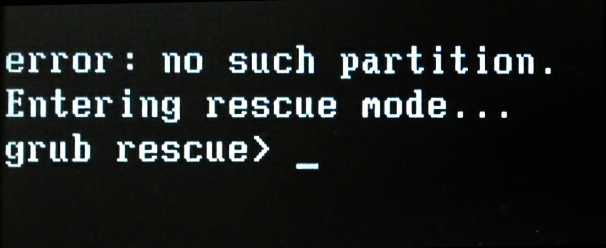
Error: No such partition
Entering rescue mode…
grub rescue>
First of all, Follow the step below to fix the problem
Step 1 – Load into and installation media
Step 2 – Press Shift + F10 to open the CMD (Command Prompt)
Step 3 – Type “bootrec.exe /fixboot” and hit Enter
Lastly, Step 4 – Type “bootrec.exe /fixmbr” and hit Enter
We are done.
Restart you PC.
UPDATED
If after restart the PC still gives the same error. Use the following method.
Step 1 – Load into your installation media
Step 2 – Type DISKPART
Step 3 – Type “List Disk” (Usually you’ll see a list of multiple disks, from 0 to 2)
Step 4 – Type “Select Disk 0”
Step 5 – Type “List volume”
Step 6 – Type “Select Volume 1” (This depends on the volume you have your partition on)
Step 7 – Type “List Partition”
Step 8 – Type “Select Partition 1” (This depends on the partition you have your OS on)
Step 9 – Type “Active”
See also, Upgrade Server 2008 or 2008 R2 to 2012
gracias, gracias